RAG Agent

Production-grade, self-hosted document ingestion and retrieval service.
📖 Documentation: https://furyhawk.github.io/rag-agent/
Features
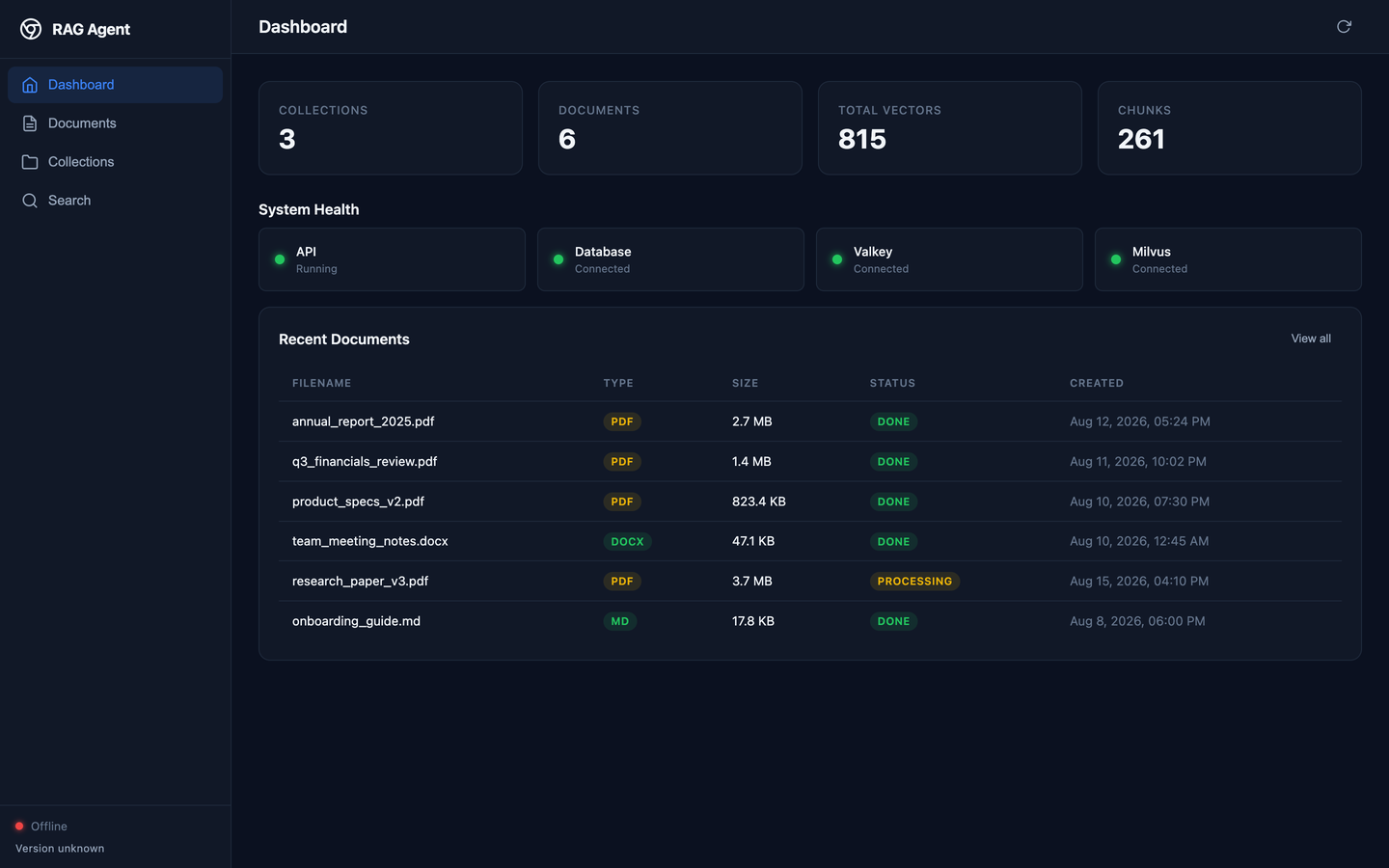
- Multi-format parsing: PDF, DOCX, TXT, Markdown with smart layout preservation
- Chunking strategies: Recursive character, Markdown headers
- Image extraction and LLM description: Makes visual content searchable
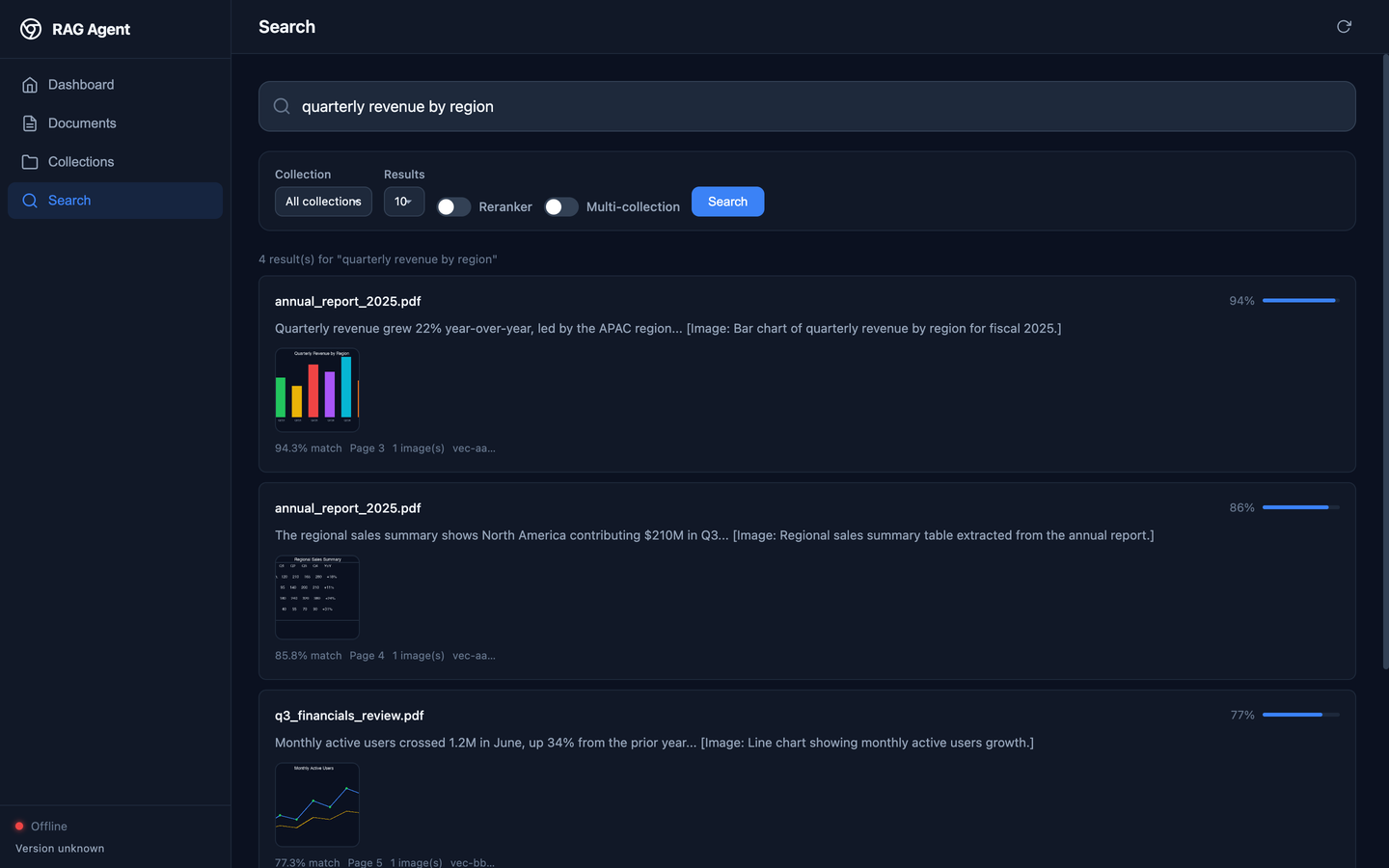
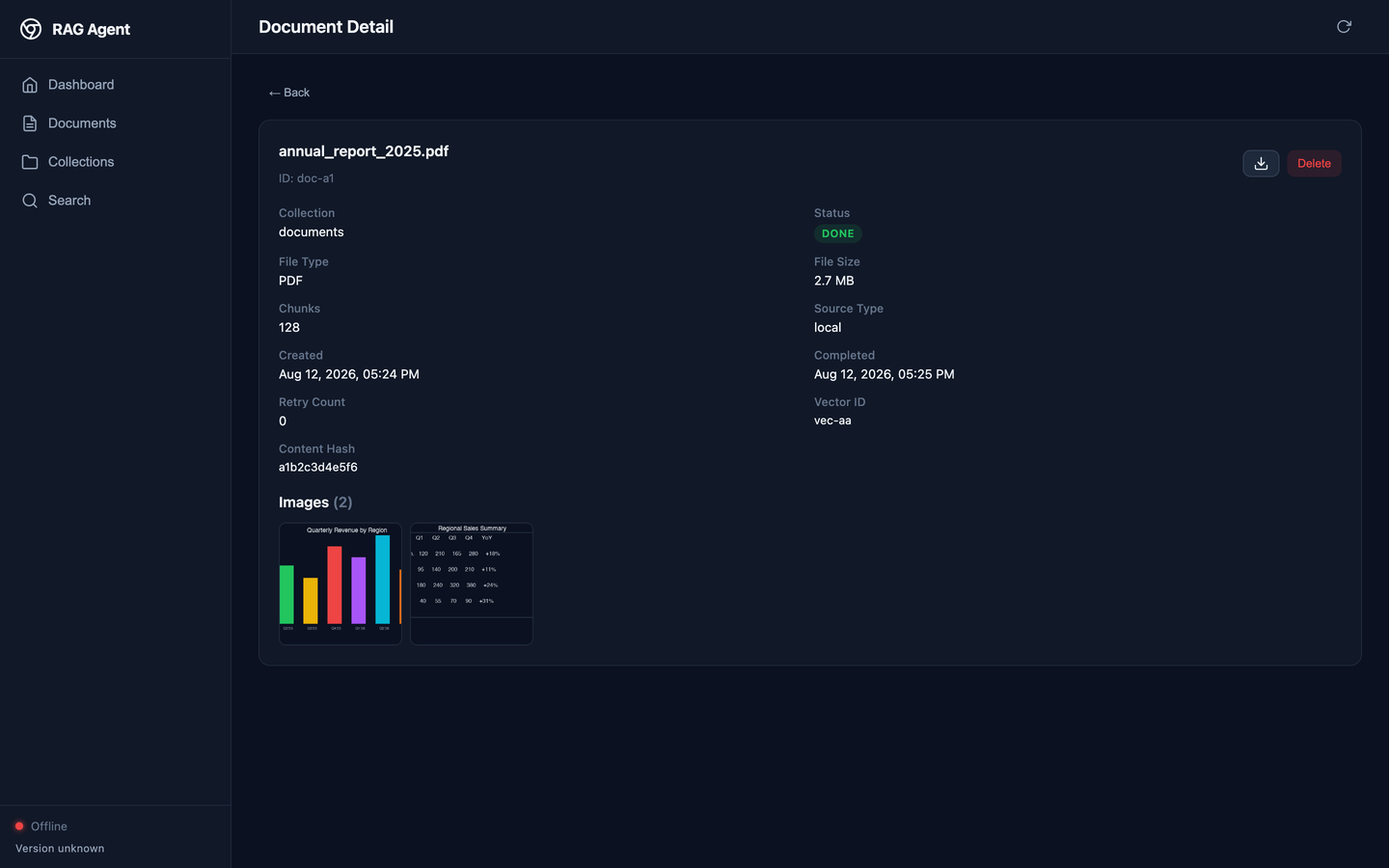
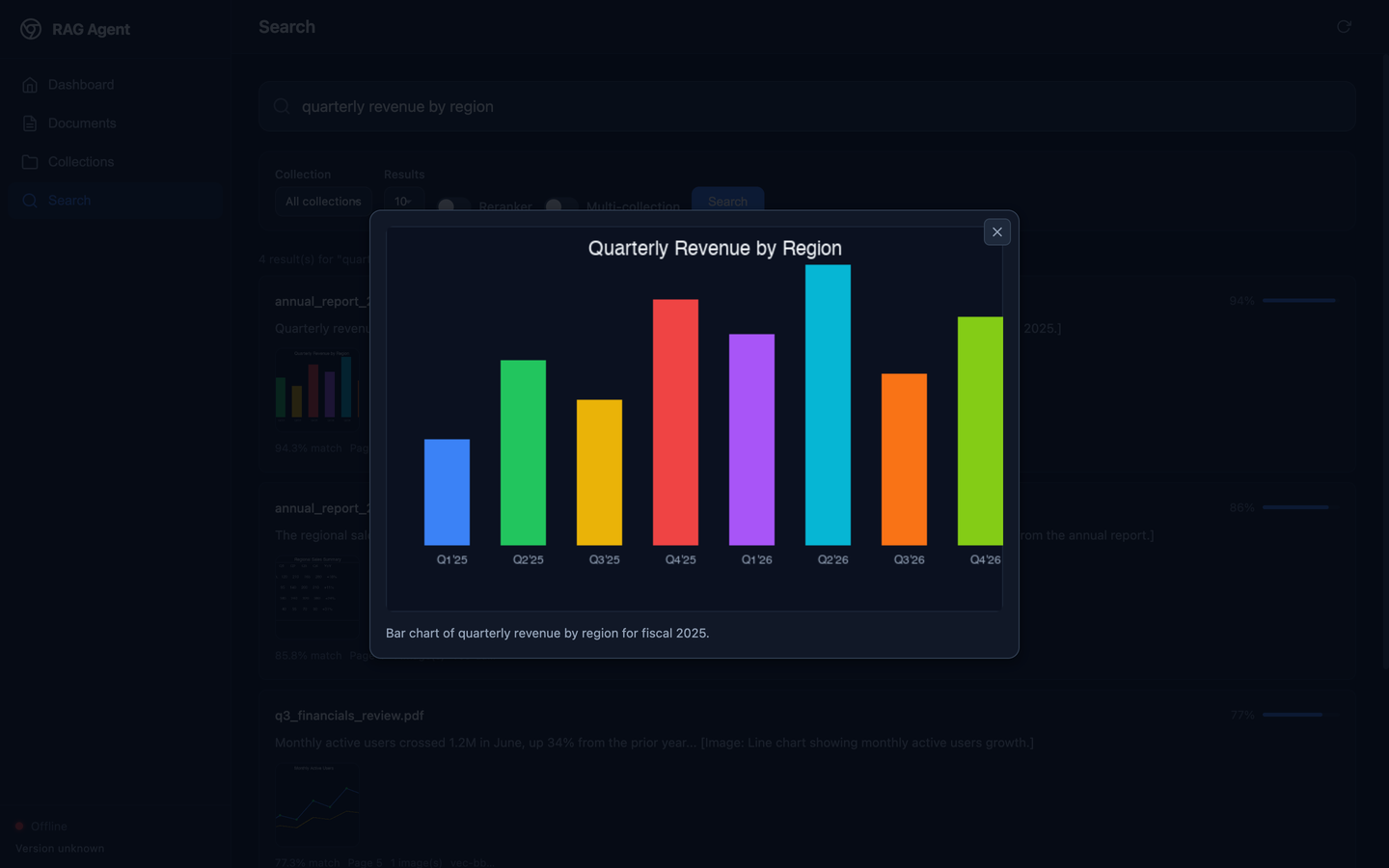
- Image persistence & display: Extracted images are stored, served over the API, and shown in search results and document views (with lightbox)
- OCR fallback: LLM vision for scanned pages
- Vector storage: Milvus with cosine similarity search
- Hybrid retrieval: BM25 keyword search + vector fusion (RRF)
- Cross-encoder reranking: Sentence Transformers for relevance scoring
- ARQ task queue: Background processing with retry and backoff
- SSE status streaming: Real-time ingestion progress
- Pluggable connectors: Local filesystem (ready), S3/Google Drive (pluggable)
- Deduplication: Content hash + source path matching
- Batched embedding: Configurable batch size with retry
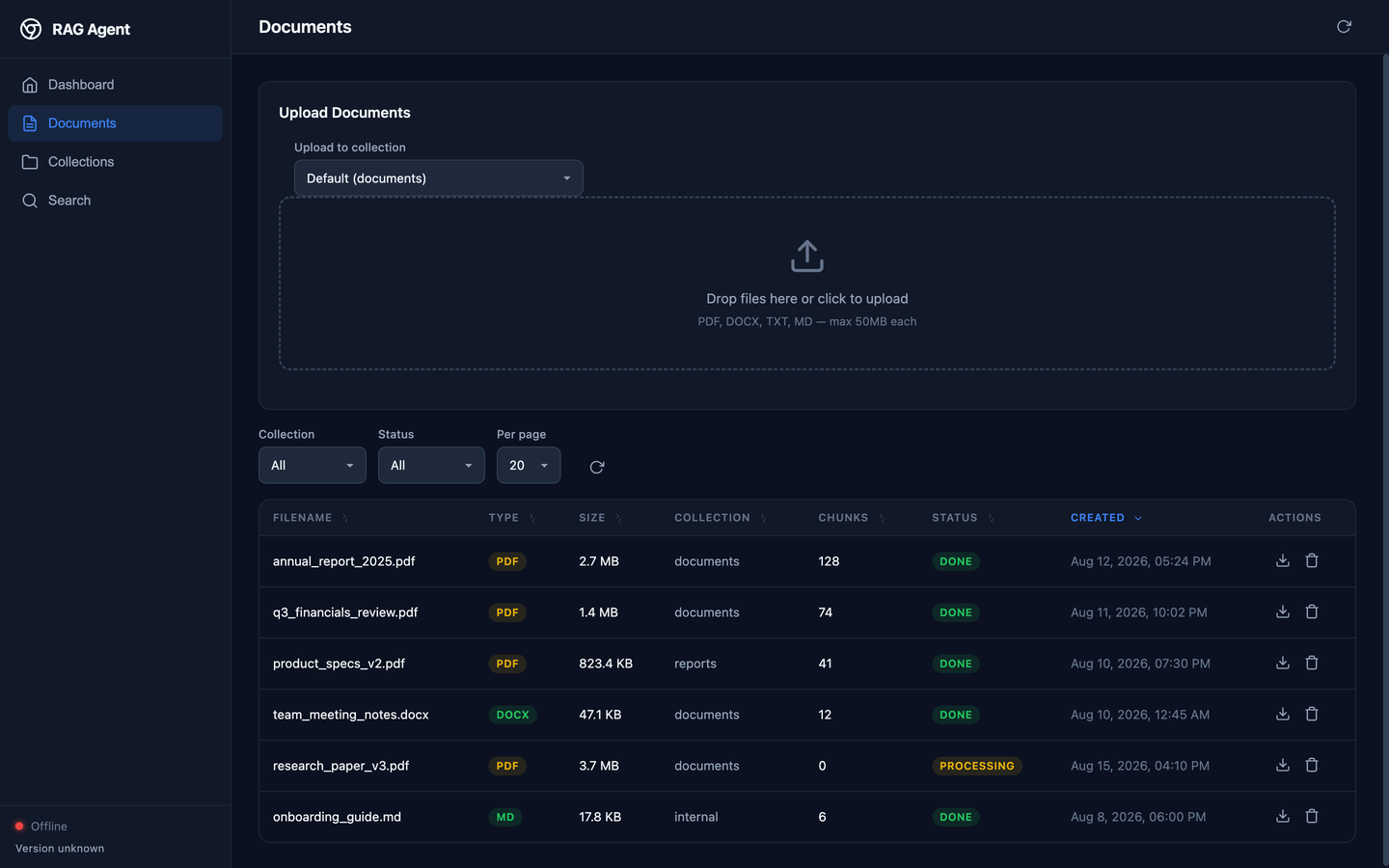
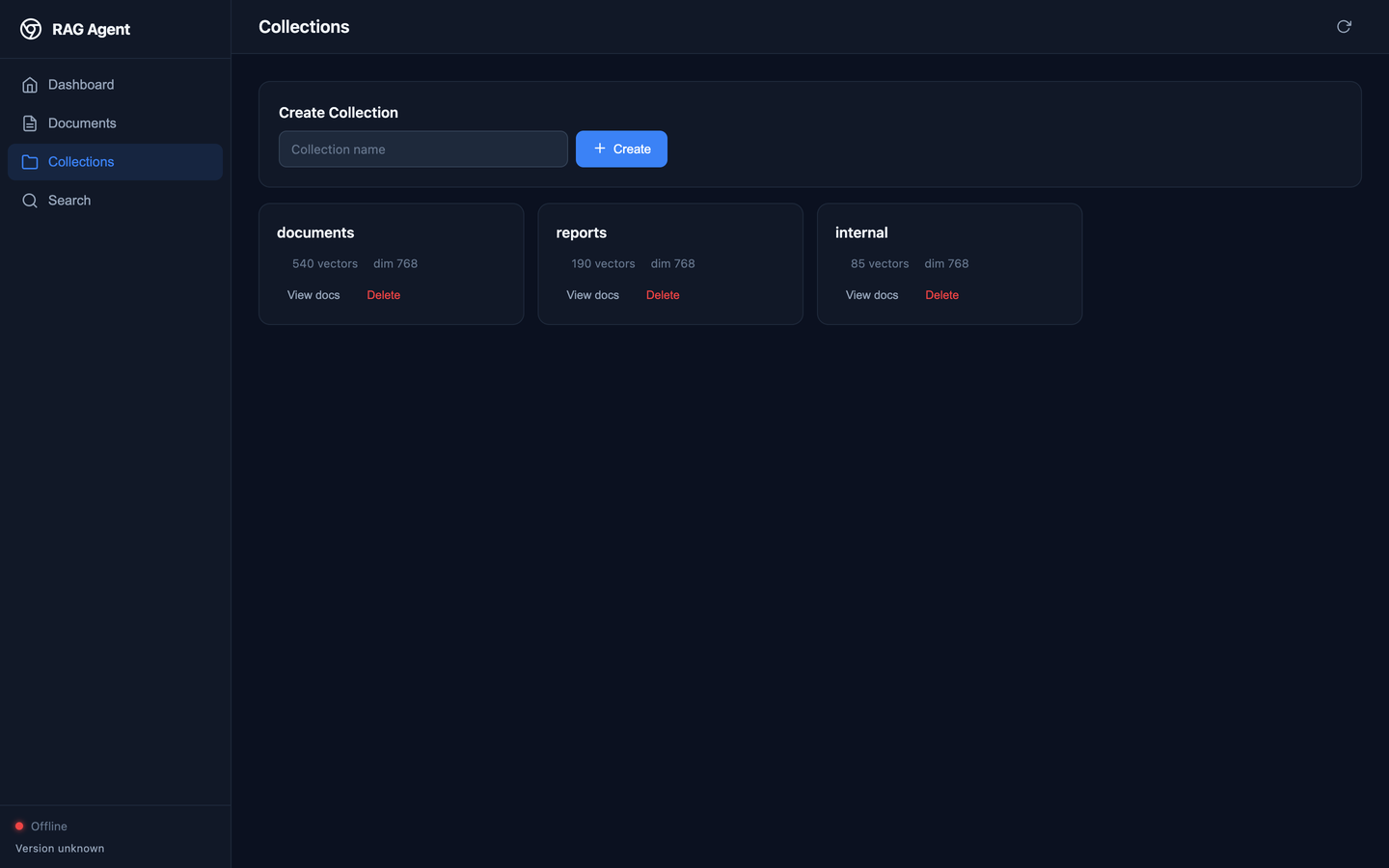
- Web dashboard: Responsive dark-themed UI for all operations
- uv Python manager: Fast dependency installation and management
- Makefile: Simplified task management
Architecture
Upload → Validate → Store → Track (DB) → Queue (ARQ)
  ┌─── Worker ───────────────────────────────────────┐
  │ Parse → Describe images → Chunk → Dedup → Embed → Store (Milvus)
  └──────────────────────────────────────────────────┘
                ↓
          SSE Status Events
                ↓
           Query → Search
                ↓
          Web Dashboard  ←── You are here
Web UI
The project includes a responsive dark-themed web dashboard built with Vue 3 (served as static files from the FastAPI application).
Pages:
| Page | Description |
|---|---|
| Dashboard | System health, collection stats, recent documents |
| Documents | Upload (drag & drop), list/filter, delete, retry, download |
| Collections | Create, browse, delete vector collections |
| Search | Semantic search with reranker, multi-collection mode, score visualization, image thumbnails + lightbox |
Access the UI at http://localhost:8100/ (redirects to /ui/).
The frontend is served directly by the API server — no separate build step or
dev server needed. Source lives in the frontend/ directory.
Screenshots
 |
 |
 |
 |
 |
 |
Quick Start
Two workflows are available:
Optional local-ml container override is also available when you need local Sentence Transformers models inside containers. By default, it enables local-ml for the worker only (api stays lean).
🐳 Full Container Stack (production-like)
# Install uv (https://github.com/astral-sh/uv)
curl -LsSf https://astral.sh/uv/install.sh | sh

# Install dependencies (lean profile)
make setup

# Optional: install local embedding/reranker ML deps
make setup-local-ml

# Create .env from example
cp .env.example .env
# Edit .env with your settings

# Start everything (app + data infra in containers)
make up

# Optional: start stack with local-ml enabled for worker only (api stays lean)
make up-local-ml

# Optional: enable local-ml for both api and worker (larger image footprint)
make up-local-ml-full

# Optional: enable NVIDIA GPU access for the worker (GPU host only)
# Requires nvidia-container-toolkit / nvidia-cdi on the host.
make up-local-ml-full GPU=1

# Wait for services to be ready
make wait

# Upload a document
curl -X POST http://localhost:8100/api/v1/documents/upload \
  -F "file=@example.pdf"

# Search
curl -X POST http://localhost:8100/api/v1/search \
  -H "Content-Type: application/json" \
  -d '{"query": "What is the revenue?", "limit": 5}'
⚡ Dev-Fast (app on host, hot-reload)
Run the Python code directly on your machine for instant feedback — only the data stores (Postgres, Valkey, Milvus) run in containers.
# Install uv (https://github.com/astral-sh/uv)
curl -LsSf https://astral.sh/uv/install.sh | sh

# Install dependencies (lean profile)
make setup

# Optional: install local embedding/reranker ML deps
make setup-local-ml

# Start ONLY data infrastructure containers
make dev-up

# Create media directory + run database migrations
make dev-setup

# (Terminal 1) Start API with hot-reload
make dev-fast

# (Terminal 2) Start background worker
make dev-fast-worker

# Open http://localhost:8100/ in your browser

# When done, stop data containers
make dev-down
Changes to Python files are picked up instantly — no Docker rebuilds needed.
make dev-fast and make dev-fast-worker now depend on make dev-setup,
so DB migrations are always applied before either process starts.
Manual uv Commands
# Install dependencies
uv sync --extra dev

# Optional local embedding/reranker dependencies
uv sync --extra dev --extra local-ml

# Run tests
uv run pytest tests/ -v

# Start API server (uses .env)
uv run uvicorn rag_agent.app:create_app --reload --factory

# Start ARQ worker
uv run arq rag_agent.worker.settings.WorkerSettings
API Endpoints
Health
GET /health— LivenessGET /ready— Readiness with dependency checksGET /live— Minimal liveness
Collections
GET /api/v1/collections— List collectionsPOST /api/v1/collections?name=...— Create collectionGET /api/v1/collections/{name}— Collection statsDELETE /api/v1/collections/{name}— Drop collection
Documents
POST /api/v1/documents/upload— Upload file (multipart)GET /api/v1/documents— List tracked documentsGET /api/v1/documents/{id}— Document detailDELETE /api/v1/documents/{id}— Delete (cascade)POST /api/v1/documents/{id}/retry— Re-queue failed ingestionGET /api/v1/documents/{id}/download— Download original
Images
GET /api/v1/images/{image_id}— Serve an extracted image (raw bytes; add?format=data_urifor a base64 data URI)GET /api/v1/documents/{id}/images?collection_name=documents— List a document's images
Search
POST /api/v1/search— Vector searchPOST /api/v1/search/multi— Multi-collection searchGET /api/v1/collections/{name}/documents/{id}— Search within a document
Sync & Connectors
POST /api/v1/sync— Trigger directory syncGET /api/v1/sync/logs— Sync historyGET /api/v1/connectors— Available connectorsGET /api/v1/status— SSE stream for progress events
Configuration
See .env.example for all environment variables.
Key settings:
- EMBEDDING_BASE_URL — OpenAI-compatible embedding endpoint
- EMBEDDING_MODEL — Model name (e.g., all-MiniLM-L6-v2)
- MILVUS_URI — Milvus connection
- MILVUS_MAX_BATCH_BYTES — Max estimated payload per Milvus insert request
(default 33554432 = 32 MiB). Inserts are split into batches this size so a
large document (many chunks) never exceeds Milvus's 64 MiB gRPC receive
limit, which otherwise fails with
AioRpcError RESOURCE_EXHAUSTED: grpc: received message larger than max.
- CHUNK_SIZE, CHUNK_OVERLAP — Text chunking
- ENABLE_HYBRID_SEARCH — BM25 + vector fusion
- ENABLE_IMAGE_DESCRIPTION — LLM vision for images (searchable descriptions)
- MEDIA_DIR — Where uploaded files and extracted images are stored
Development Tasks
The project includes a comprehensive Makefile for common tasks:
# Show available tasks
make

# ── Setup & Quality ──────────────────────────────────────────
make setup          # Install Python dependencies
make setup-local-ml # Install optional local embedding/reranker ML deps
make test           # Run test suite
make lint           # Lint code (ruff)
make format         # Format code (ruff format)
make typecheck      # Type checking (mypy)
make clean          # Clean build artifacts

# ── Container Stack (app + data in containers) ──────────────
make up             # Start full stack
make up-local-ml    # Start stack with worker local-ml only (api lean)
make up-local-ml-full # Start stack with local-ml for both api and worker
make down           # Stop stack
make down-local-ml  # Stop stack launched with local-ml override
make logs           # Show service logs
make logs-local-ml  # Show service logs with local-ml override
make ps             # Show running containers
make ps-local-ml    # Show containers with local-ml override

# ── Dev-Fast (app on host, hot-reload) ──────────────────────
make dev-up          # Start data infra only (Postgres, Valkey, Milvus)
make dev-down        # Stop data infra containers
make dev-logs        # Show data infra logs
make dev-setup       # Create media dir + run migrations
make dev-fast        # Run API with hot-reload (no container)
make dev-fast-worker # Run ARQ worker directly (no container)
make dev-migrate     # Run Alembic migrations
make dev-create-tables # Create tables directly (no Alembic)
Integration with pydantic-deepagents
from rag_agent.client import RAGAgentClient

client = RAGAgentClient(base_url="http://localhost:8100")

# Upload
result = await client.upload_document("report.pdf")

# Search
results = await client.search("quarterly earnings")
Troubleshooting
"Failed to find C compiler ... triton.knobs.build.impl"
When local-ml models run on CUDA (make up-local-ml-full GPU=1), torch
JIT-compiles attention kernels with Triton, which shells out to a C compiler
(CC → clang → gcc). On a host or container without a C toolchain this
fails at runtime with:
Failed to find C compiler. Please specify via CC environment variable or set triton.knobs.build.impl.
The container image installs build-essential (gcc/clang/make) automatically
when the local-ml profile is enabled (INSTALL_LOCAL_ML=true), so the Docker
stack is covered. If you hit this outside Docker (e.g. make dev-fast on a bare
host), install a C compiler first, e.g. on Debian/Ubuntu:
sudo apt-get install -y build-essential
or ensure CC/CXX point at an available compiler (e.g. export CC=gcc CXX=g++).
The app also retries on CPU automatically when this Triton error is detected
(embeddings and cross-encoder reranker), so search keeps working even without a
C toolchain — but it runs slower on CPU.
Requirements
- uv (https://github.com/astral-sh/uv) — Modern Python package installer and resolver
- Python 3.12+ — Runtime environment
- Docker and Docker Compose — For running data infrastructure (Postgres, Valkey, Milvus). Required by both the full container stack and the dev-fast workflow. If you only run unit tests, Docker is optional (tests use SQLite).
License
MIT